

Games / Windows
GlassSky
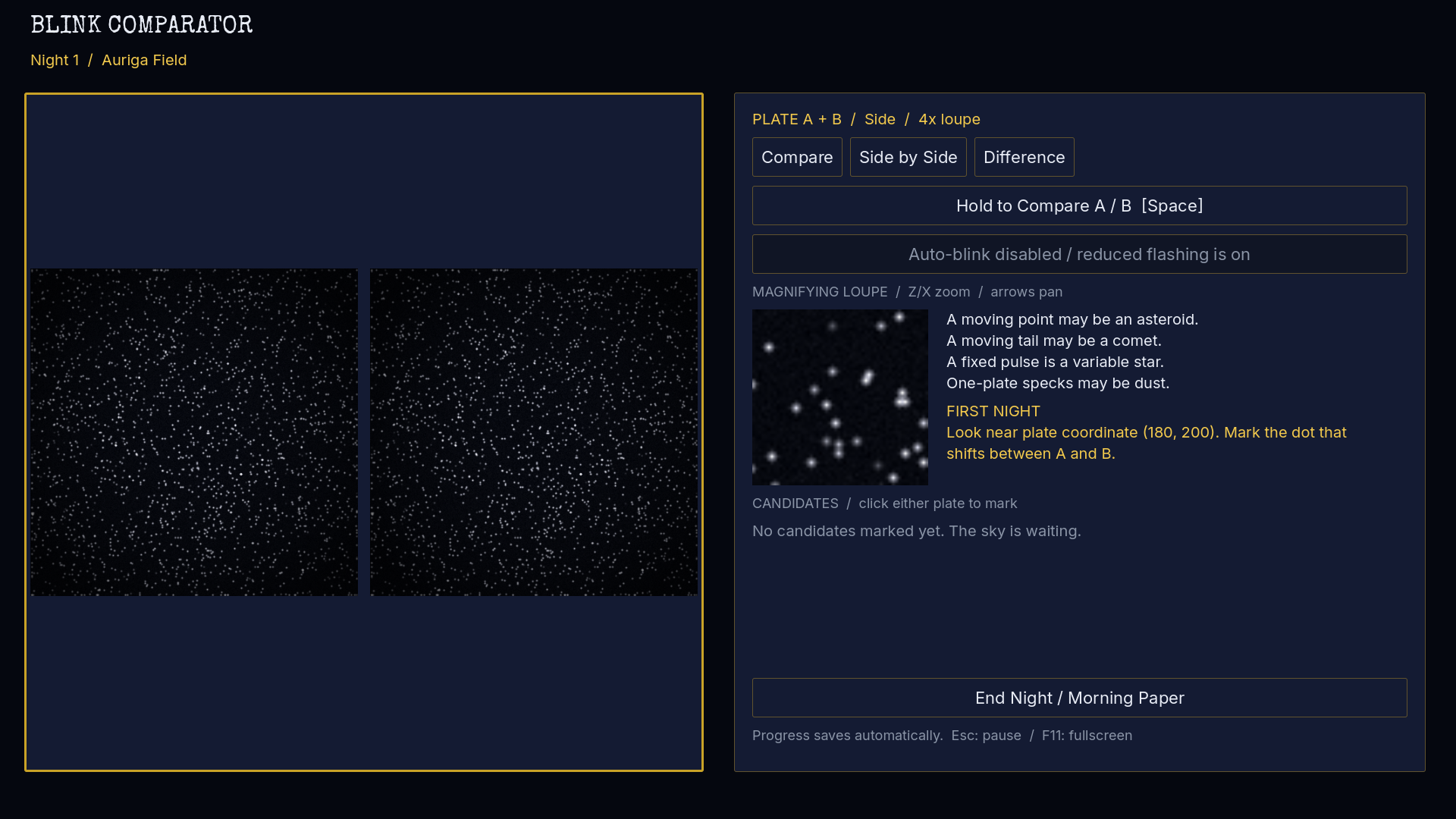
At a fictional observatory in 1930, two photographic plates hold the clues. Compare the sky, spot a moving dot, and make a discovery of your own.

Who is it for?
For players who enjoy careful observation and deduction. GlassSky is an English-language, single-player Windows game played with a mouse and keyboard.
What you can do
01
Compare star plates
Expose and develop paired plates, or skip development. Inspect changes with steady side-by-side and difference views, or an optional blink comparator.
02
Classify your discoveries
Measure movement and decide whether you found an asteroid, comet, variable star, or photographic defect. Name verified discoveries and keep them in a local almanac.
03
Play a twelve-night season
Read letters and newspaper reports, compete with a fictional rival, and join the final comet race. After the campaign, continue an endless survey of six sky regions.
Getting started
- Open GlassSky on Microsoft Store to check current requirements and purchase options.
- Start the campaign and learn how to take and compare photographic plates.
- Review the clues, submit discoveries, and build your observatory record.
Before you use it
English only, for Windows PC x64 with mouse and keyboard. Requires Windows 10 version 1809 or later and an OpenGL 3.3 compatible GPU. Offline play requires a valid cached Microsoft Store license; acquisition and license updates may need connectivity. The observatory, characters, and discoveries are fictional; astronomy is simplified for play.
Common questions
Do I have to use flashing views?
No. Steady side-by-side and difference views are available, along with reduced-flashing settings. The blink comparator is optional.
Does the game have multiplayer or a developer account?
GlassSky is single-player with local autosaves. No developer account is required; purchases and licenses are managed through Microsoft Store.
Next steps
Other products


Images & video / Windows
Microstock Checker
Local image QC and draft metadata for Windows, available on Microsoft Store.
Get it from Microsoft Store
Design / Windows
Azter Vector Tools for CorelDRAW
Batch vector tools for CorelDRAW on Windows. Available on Microsoft Store; CorelDRAW is required separately.
Get it from Microsoft StoreDesign / Windows
Azter Vector Tools for Illustrator
Batch vector tools for Adobe Illustrator on Windows. Available on Microsoft Store; Illustrator is required separately.
Get it from Microsoft Store
Business / Windows
Fitarix
Windows gym management for members, QR check-in, payments, and shop sales. On Microsoft Store; gym operations require a subscription.
Get it from Microsoft Store
Writing & publishing / Windows
FolioSmith
A book formatter for Windows, available free on Microsoft Store. Pro adds editable covers and print PDF.
Get it from Microsoft Store
Design / Windows
TypeShelf
Organize, compare, and activate local fonts. Free on Microsoft Store for Windows.
Get it from Microsoft Store
Productivity / Windows
SortSentry
A Windows file organizer with rules, preview and undo, available on Microsoft Store.
Get it from Microsoft Store
Business / Windows
RentRail
Manage equipment inventory, rental bookings, deposits, and invoices on Windows. Available on Microsoft Store.
Get it from Microsoft Store
Games / Windows
The Restoration Atelier
A Windows puzzle game about restoring vintage typewriters and finishing unsent letters. Available on Microsoft Store.
Get it from Microsoft Store